How to Become a SatuSatu User (Registering a SatuSatu Account)

Diubah pada Mon, 19 Jan pada 3:51 PM

Becoming a user of the SatuSatu platform is easy and free of charge. The registration process is available via email or mobile phone number, which will be used as the user account.

The steps to register a SatuSatu account are as follows:

  1. Download the SatuSatu application via the Play Store or App Store, or access it directly through the official SatuSatu website at https://satusatu.com/.

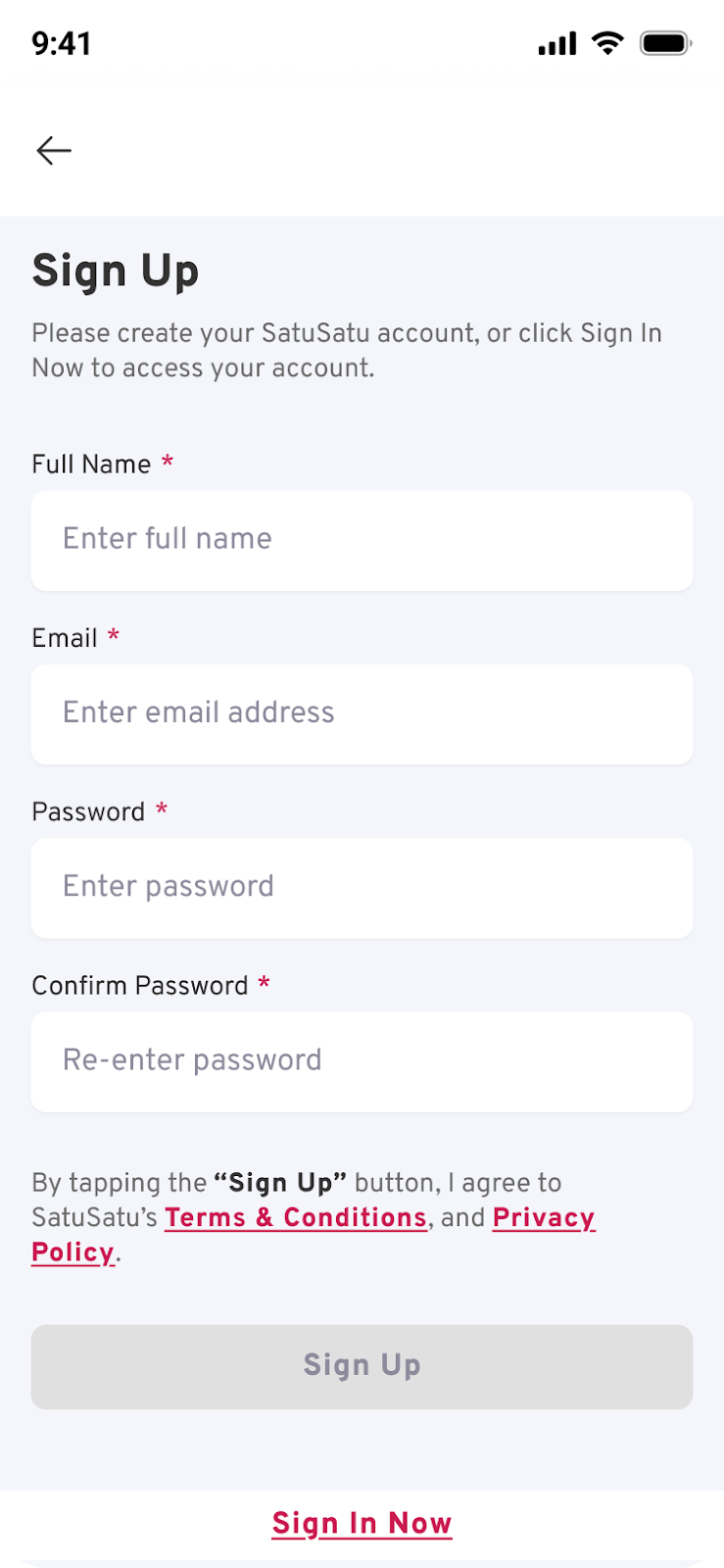
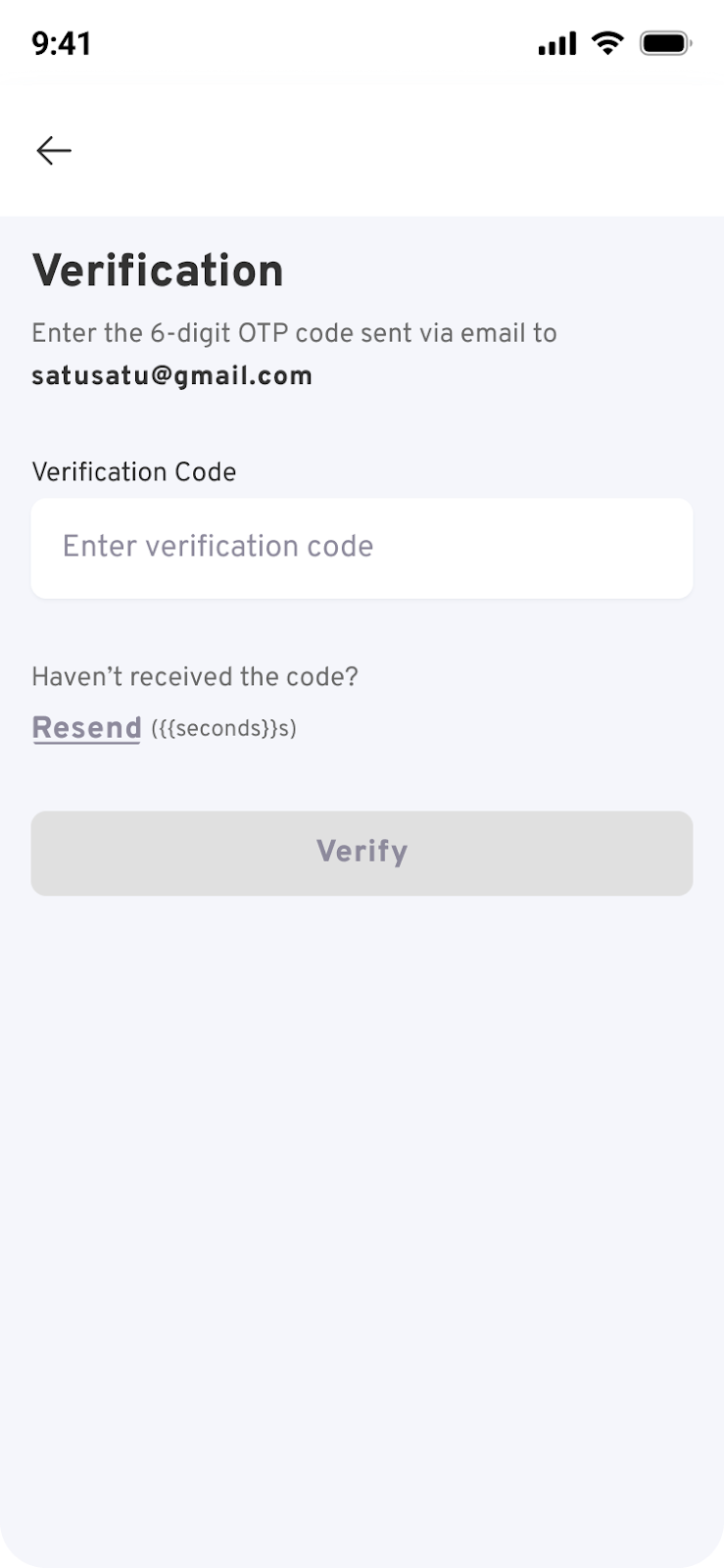
  2. Select the “Sign In” menu, then click “Sign Up” to start the registration process. Enter your email address and password. After that, the SatuSatu system will send a verification code to the registered email address.

  1. Once the verification process is successful, the user can log in to the application and easily search for attraction tickets and make purchases.

By having a SatuSatu account, users can directly access their e-ticket purchase history through the “Purchases” menu, without needing to search for information again via email or WhatsApp.


Apakah artikel ini membantu?

Bagus!

Terima kasih atas umpan balik Anda

Maaf! Kami tidak dapat membantu

Terima kasih atas umpan balik Anda

Beri tahu apa yang harus kami perbaiki dari artikel ini!

Pilih setidaknya salah satu alasannya
Verifikasi CAPTCHA diperlukan.

Umpan balik terkirim

Kami menghargai upaya Anda dan akan mencoba memperbaiki artikel tersebut